Updated August 7, 2026 · Check official Azure terms before budgeting
Azure Sentiment Analysis Pricing: Text Records, Examples, and Free Tier
Azure sentiment analysis is not priced like a generative AI model. The useful planning unit is the Azure Language text record: count the characters you send, round up to the service unit, and then apply the current regional rate and tier.
Quick answer
What does Azure charge for sentiment analysis?
Azure AI Language sentiment analysis is planned around text-analysis transactions rather than input and output tokens. For a first estimate, treat each group of up to 1,000 text characters as one text record, round longer inputs up to the next record, and multiply the total by the current price for your region and service tier.
That distinction matters because the existing Microsoft provider page is mainly about model and API pricing. This guide covers the separate Azure Language meter, what can change the estimate, and where to verify the live rate before deployment.
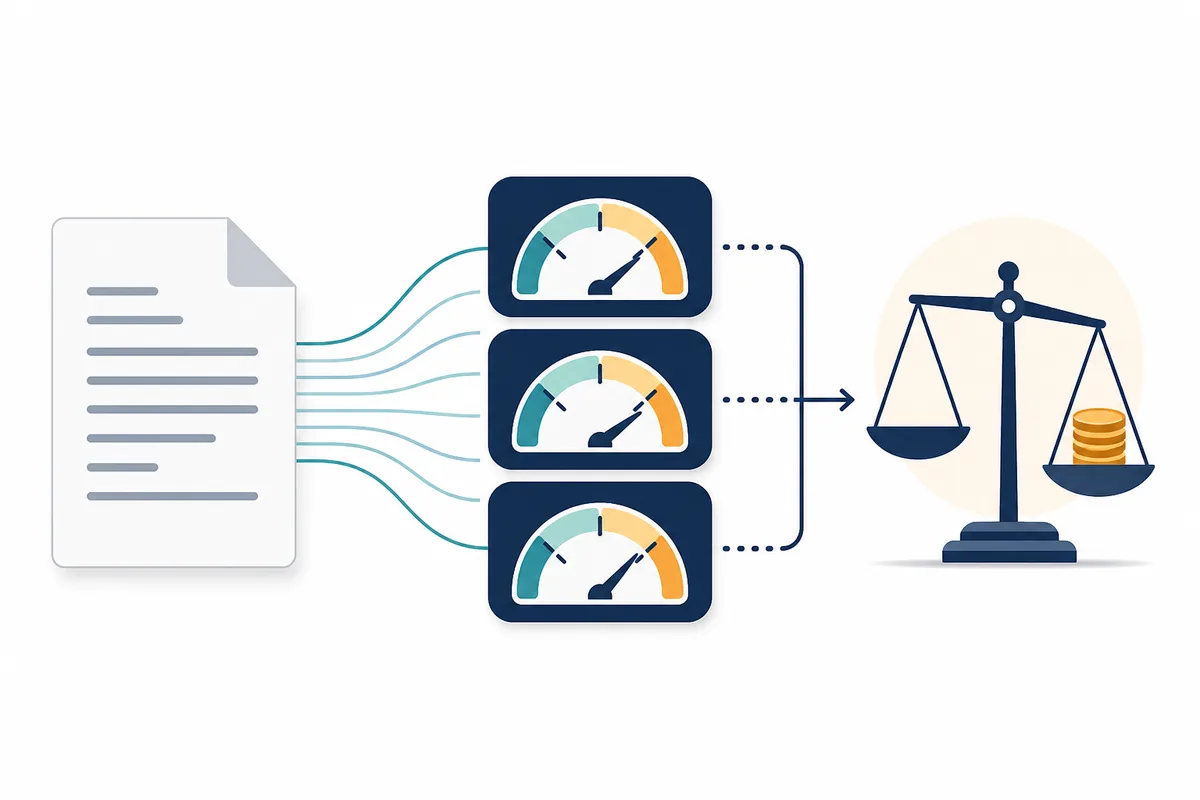
How Azure sentiment analysis pricing works
Microsoft’s Azure Language pricing page groups sentiment analysis and opinion mining under text-analysis transactions. The price shown to you depends on the selected region, currency, account terms, and whether you use a free, standard, or commitment-style option. Because those values can change, this page keeps the unit math stable and sends the live-dollar check to Microsoft’s official pricing page.
| Planning item | What to record | Why it changes cost |
|---|---|---|
| Text record | Up to 1,000 characters per record for planning | Longer text rounds up to more billable units. |
| Feature | Sentiment analysis, with or without opinion mining | Confirm the endpoint and feature tier you actually call. |
| Service tier | Free or standard/paid option shown for your account | Free allowances and paid rates are not interchangeable. |
| Region and terms | Azure region, currency, agreement, and commitment | The official rate card is the source of truth for a quote. |
Use the table as a planning model, not as a promise of a fixed monthly bill. Confirm the endpoint limits and current rate before production launch.
The text-record formula
For a simple first pass, calculate records per request with the ceiling function. If the request contains 500 characters, it needs one record; 1,200 characters needs two; and 7,500 characters needs eight. The exact behavior of multi-document and batch requests should be checked against the endpoint documentation before you commit to a large workload.
text records per request = ceil(characters sent / 1,000)
monthly estimate = requests × records per request × current price per 1,000 records
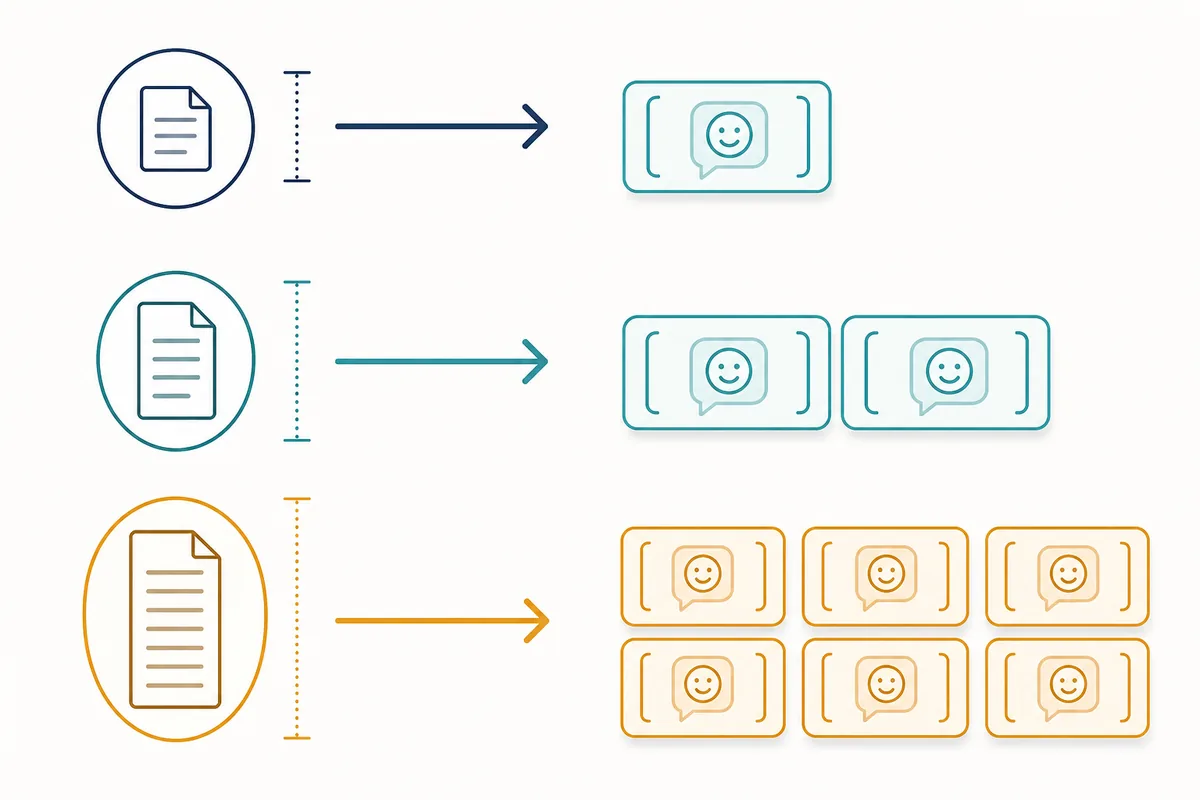
| Example input | Planning records | Monthly calculation |
|---|---|---|
| 500 characters × 10,000 requests | 1 per request | 10,000 records × current unit rate |
| 1,200 characters × 10,000 requests | 2 per request | 20,000 records × current unit rate |
| 7,500 characters × 2,000 requests | 8 per request | 16,000 records × current unit rate |
Free tier, standard tier, and what to verify
The official Azure Language pricing page currently presents free and standard options, but a free allowance is not a universal production guarantee. Check the current region, subscription, language feature, and agreement before using an old blog post or a screenshot as your budget source. If your usage crosses the allowance, the same record calculation continues into the paid tier.
Free allowance
Verify the live entitlement and whether it applies to your feature and region.
Paid records
Multiply rounded-up records by the current official unit rate, not by token prices.
Commitment terms
Check whether a commitment or agreement changes the rate or allowance.
Azure Language vs. Azure OpenAI pricing
These services solve different problems and should have separate budget lines. Sentiment analysis classifies text and is planned around Language service transactions. Azure OpenAI generates or transforms text with a model, so its estimate normally starts with input and output tokens, model choice, cached context, batch usage, and deployment region.
- Use Azure Language when you need a focused analysis feature such as positive/neutral/negative sentiment or opinion signals.
- Use Azure OpenAI when you need generative output, extraction prompts, conversation, rewriting, or a custom reasoning workflow.
- Do not add the two meters together blindly. If one workflow calls both services, estimate each service separately and then add the surrounding Azure costs.
For token-based deployments, use the Azure OpenAI pricing calculator and the general LLM cost calculator rather than treating sentiment transactions as tokens.
A practical monthly budget checklist
- Measure the real character distribution of your input, not only the average. Long outliers are where rounded-up records grow quickly.
- Separate real-time calls, batch jobs, retries, and test traffic. A retry can create another billable request even when the first result is discarded.
- Record which sentiment or opinion-mining endpoint you use, because feature scope and limits can differ.
- Look up the current Azure region and tier rate on the official pricing page immediately before launch.
- Keep monitoring, storage, orchestration, and any downstream model calls in separate lines. This page estimates the Language feature meter only.
Need token pricing instead?
If your workload is actually a generative model, switch to the site’s token-based tools and compare models before selecting a deployment.
Lifecycle note for new projects
Microsoft’s current sentiment analysis documentation says that sentiment analysis and opinion mining are scheduled to retire from Azure Language on March 31, 2029, and directs new projects toward Microsoft Foundry. That does not replace today’s cost check, but it does change the decision: a low current rate is not enough reason to start a long-lived integration without reviewing the migration path.
Azure sentiment analysis pricing FAQ
No. Azure AI Language sentiment analysis is planned around text-analysis transactions and text records. Azure OpenAI is a different service with input, output, cached-input, or batch token pricing, so the two estimates should not be mixed.
Microsoft describes one text record as up to 1,000 text characters for Language service pricing. When a document is longer, plan for the next whole record and confirm the exact endpoint limits in the current documentation.
The Azure Language pricing page currently lists free and standard service options, but the entitlement and displayed rates can vary by region, agreement, and product terms. Check the official page before treating a free allowance as a production budget.
No. Sentiment analysis is a Language service feature measured around text-analysis transactions. Azure OpenAI hosts generative models and is normally estimated from token volume, model, deployment, caching, batch use, and region.
Microsoft’s current sentiment analysis documentation says sentiment analysis and opinion mining are scheduled to retire from Azure Language on March 31, 2029, and points new projects toward Microsoft Foundry. Recheck the lifecycle guidance before starting a long-lived integration.
Multiply monthly requests by the rounded-up text records per request, then multiply by the current regional price per 1,000 text records. Keep a separate line for retries, long documents, batch behavior, and any surrounding Azure services.
Official sources to check before launch
- Azure Language pricing — current region, tier, and displayed rate.
- Language service data limits — character and request constraints that affect planning.
- Sentiment analysis and opinion mining overview — feature scope and lifecycle notice.