Azure AI Foundry Pricing: Models, Agents & Cost Guide
Azure AI Foundry pricing is not one flat subscription. This guide separates model tokens, agent workflows, search and tool calls, compute, regions, and supporting Azure services so you can estimate a realistic AI workload cost.
Last reviewed September 20, 2026 · Pricing changes should be verified in the official Azure meter for your region.
On this page
What Azure AI Foundry includes
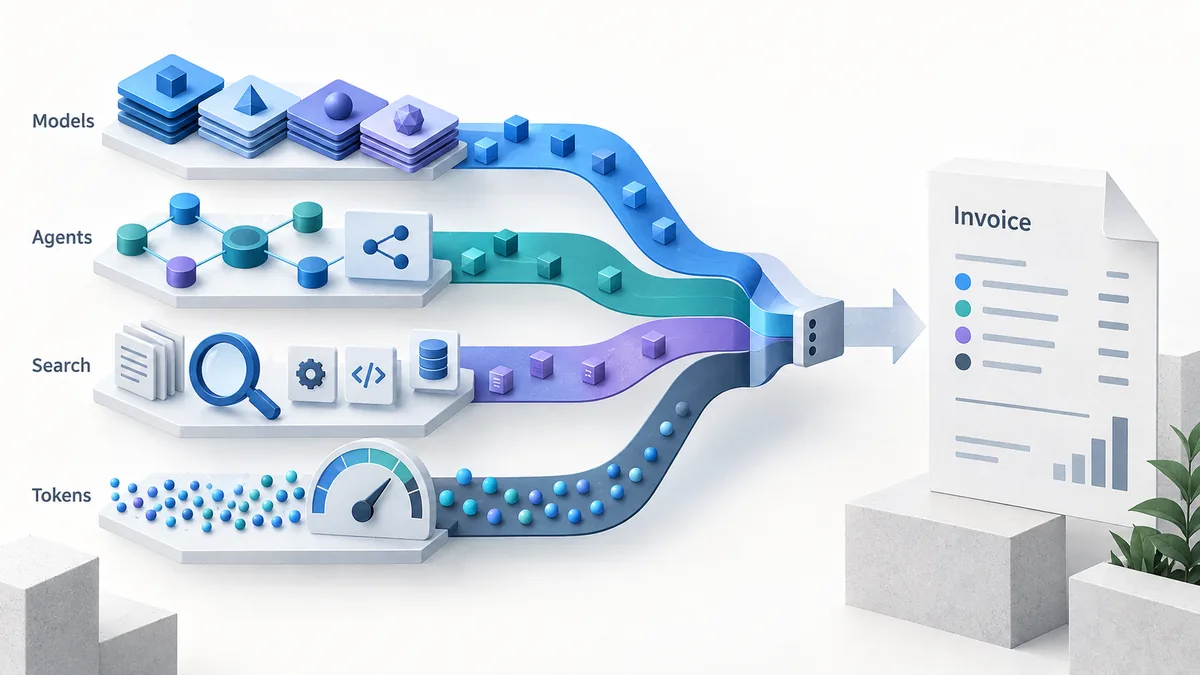
Microsoft Foundry is a broader application and model platform, not merely another name for one chat model endpoint. Depending on the workload, a team may use a model catalog, a managed model deployment, agent orchestration, evaluation, safety controls, tracing, retrieval, or connected tools. Each layer can have a different price source and a different unit of measure.
That distinction matters for searchers comparing azure ai foundry pricing with a direct API price. A model table can help you estimate tokens, but it cannot by itself predict the cost of a long-running agent that calls search, stores files, invokes a tool, retries a request, and runs in a specific region. The right first question is: “Which meters appear in one representative request?”
Foundry is therefore best budgeted as a workload. Start with the user action, draw the calls it triggers, assign a meter to each call, and then add a monthly volume assumption. This approach also makes it easier to compare Foundry with direct OpenAI, Gemini, Anthropic, or other API routes without mixing platform fees and model token fees.
Azure AI Foundry pricing components to separate
The table below is a planning framework. It is intentionally not a fixed rate card: official meters, regional availability, model terms, and feature pricing can change. Use it to avoid leaving an important cost category out of your estimate.
| Layer | Typical unit | What to record |
|---|---|---|
| Model inference | Input and output tokens, or model-specific units | Model, deployment type, context, input/output mix, cached or batch share |
| Agent orchestration | Requests, steps, or service usage | Average steps, retries, parallel branches, tool decisions, and latency targets |
| Search and grounding | Queries, indexed data, storage, or transactions | Query fan-out, index size, refresh rate, documents returned, and region |
| Tools and connectors | Calls or the connected service meter | Function calls, external APIs, browser/search actions, and failure retries |
| Compute and hosting | Instance time, provisioned capacity, or throughput | SKU, uptime, autoscale floor, deployment mode, and idle capacity |
| Data and governance | Storage, logs, evaluations, or security services | Retention, trace volume, evaluation frequency, private networking, and support plan |
Do not add every row to every estimate. Include the rows your architecture actually uses, and label uncertain values as assumptions until the Azure calculator or service meter confirms them.
How Azure AI Foundry model pricing works
For a token-priced model, the basic estimate remains straightforward: input tokens and output tokens have separate rates, usually normalized to a fixed token unit. The difficult part is choosing the correct rate row. Model family, deployment type, region, context tier, cached input, batch processing, image or audio input, and provisioned throughput can all change which meter applies.
Use the AI token calculator to turn a sample prompt and expected response into a rough token count, then use the LLM cost calculator to test monthly volume. These tools are planning aids; the final Azure number should come from the official model and region documentation.
Input and output are not interchangeable
Chatbots, extraction pipelines, and long-document assistants often have very different input/output ratios. A summarization job may send a large document and return a short answer, while a coding agent may send compact instructions and generate a much longer response. Record both sides separately. If the workload uses cached context or batch processing, model those as explicit scenarios rather than silently applying the standard rate.
Monthly model cost = requests × ((input tokens ÷ 1,000,000 × input rate) + (output tokens ÷ 1,000,000 × output rate))Example: estimate a Foundry workload before deployment
Suppose a support agent handles 20,000 conversations per month. Each conversation sends 3,000 input tokens and returns 700 output tokens. The agent also performs one search query and occasionally calls a ticketing tool. Do not call the result “the Foundry price” yet. It is only the model component plus two service categories that still need their own rates.
| Step | Assumption | Why it matters |
|---|---|---|
| 1. Count model usage | 60M input tokens and 14M output tokens per month | Produces the first token-cost range using the selected model rate. |
| 2. Count agent steps | One search plus an average of 0.2 ticket-tool calls per conversation | Converts “agent” into measurable search and connector volume. |
| 3. Add data and hosting | Index size, logs, evaluation runs, and any always-on deployment | Captures costs that a token-only calculator misses. |
| 4. Stress-test | Double output length, add retry rate, and compare two regions | Shows whether the estimate is sensitive to behavior or deployment choices. |
The useful output is a range with named assumptions, not a single impressive number. Keep a low, expected, and high case. When the workload is live, replace assumptions with logs: actual tokens, actual tool calls, actual retries, and actual storage or compute consumption.
Azure AI Foundry vs. Azure OpenAI pricing
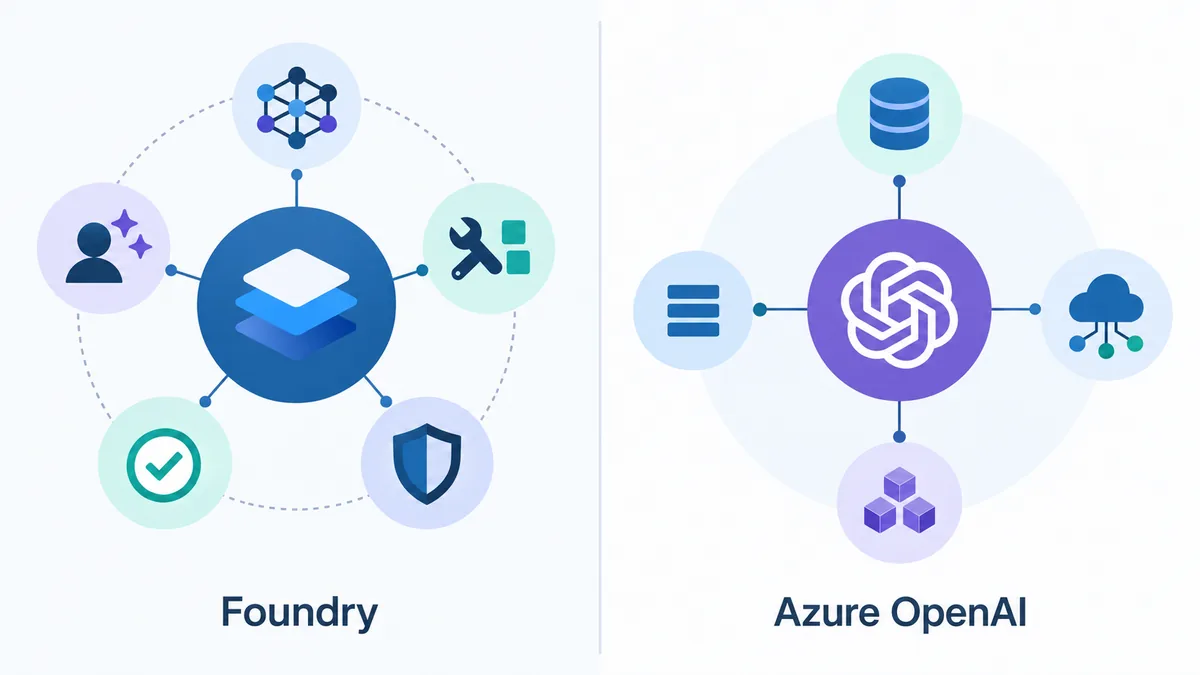
These phrases overlap in search results, but they answer different planning questions. Azure OpenAI pricing is a focused model/API comparison: choose a pricing row, enter tokens and requests, and compare a direct OpenAI benchmark. Azure AI Foundry pricing asks a broader architecture question: which models and managed services participate in the workflow?
Use the Azure OpenAI page when you already know the deployment is an Azure-hosted OpenAI model and you mainly need token economics. Use this Foundry guide when the workload includes model choice, agents, evaluation, grounding, search, tools, or multiple Azure services. A Foundry project may contain an Azure OpenAI call, but the project total can be larger than that call.
For cross-provider decisions, keep the page roles separate. Compare model rows on the AI API comparison page, estimate token mix with the calculators, and then add Azure-specific region, capacity, service, and governance assumptions from first-party documentation.
A five-step Azure AI Foundry pricing workflow
- Define one user task. Write the request, expected response, quality target, and acceptable latency.
- Draw the trace. List model calls, agent steps, retrieval, search, tools, storage, evaluation, and retries.
- Assign meters. Use the model pricing row and official Azure page for every service that appears in the trace.
- Run three scenarios. Calculate low, expected, and high volume with different output lengths and retry rates.
- Validate after launch. Compare the estimate with usage logs and update the assumptions before committing to a migration or budget.
Important limitations
This page is a cost-planning guide, not an Azure invoice simulator. Similar model names can have different meters across products or deployment modes. Search, grounding, image and audio inputs, provisioned capacity, fine-tuning, regional availability, taxes, discounts, quotas, and enterprise agreements may be outside a simple token calculation. Prices can also change after a model or service update.
For a production estimate, record the official page, model, deployment, region, currency, rate date, and assumptions used. If a rate is unavailable, leave it as an explicit unknown and test it in the official Azure pricing calculator instead of filling the gap with a competitor's number.
Azure AI Foundry pricing FAQ
Is Azure AI Foundry free?
The Foundry experience is not one all-inclusive meter. Some platform experiences may not add a separate charge, while models, agents, search, storage, compute, and connected Azure services can create usage charges. Check the exact service and region before treating a workload as free.
How is Azure AI Foundry model pricing calculated?
For token-metered models, start with input tokens multiplied by the input rate plus output tokens multiplied by the output rate. Then add any cached context, batch, image, audio, grounding, provisioned capacity, or regional charges that apply to the selected deployment.
Is Azure AI Foundry pricing the same as Azure OpenAI pricing?
No. Azure OpenAI can be one model and API path inside a broader Foundry workflow. Foundry may also include model catalog options, agent orchestration, evaluation, search, safety, and other services. Compare the same model, meter, region, and deployment type before comparing numbers.
Does Azure AI Foundry charge for agents?
An agent workflow can create several billable line items rather than one universal agent price. The model tokens, tool calls, search or retrieval, storage, hosting, and other Azure resources may each have their own meter. Estimate every call in the agent trace.
What is the best way to estimate Foundry cost?
Write one representative request trace, count model input and output tokens, list every tool or search call, choose the target region, and multiply the per-request total by monthly volume. Use an official Azure pricing calculator or service page for the final production check.
Can I compare Foundry models with other AI APIs?
Yes, but normalize the comparison first. Use the same input and output token assumptions, context needs, quality target, region, and retry rate. The AI Pricing Hub comparison and token calculator pages are useful for model-level planning, while Azure documentation remains the source of truth for Azure-specific meters.
Official pricing references
Use these first-party pages to verify the current meter, region, and deployment terms before a production decision:
- Microsoft Foundry pricing for platform and service-level pricing context.
- Foundry Models overview for model catalog and deployment context.
- Azure OpenAI Service pricing when the workload uses an Azure OpenAI model path.
- Azure pricing calculator for the final regional estimate.